You can now run the latest version of seafile server on Windows 10 with docker.
TL;DR Make sure you have a latest windows 10 system and get started!
The release of Seafile server for windows is always behind the linux version because we don’t have resource to maintain/release it in time. But now with docker, you can always run the latest version of Seafile server on windows.
At this time windows server 2016 doesn’t support running linux containers yet. We’ll add the support for windows server 2016 once it support running linux containers.
The new docker solution means you are running the “Linux version” inside a docker (similar to a virtual machine). This means you need to learn an use Linux commands to manage seafile. Means using different webserver (not IIS, means learning how to configure https etc.).
So basically means: They do NOT support future versions of seafile on Windows (5.1.3 is the last version) as such. Only as virtual instances of a Linux version - with all the difficulties for you as admin to maintain this.
Makes their lives easier as developers but means they don’t care about their windows installed base.
The idea of docker is let the application and the work environment of the application become a whole blackbox or a single exe. You don’t need to know what is in the image just like You don’t need to know what is in an exe program.
With seafile docker image, you manage the application via windows commands in a windows way. The logs, data, configs are all saved in a windows folder. You can do backup/restore/upgrade/config with windows tools.
Docker is not a virtual machine. In latter, You have to login into the virtual machine and manage applications in a Linux way. Docker is a way to distribute/upgrade an application like a platform independent execution file.
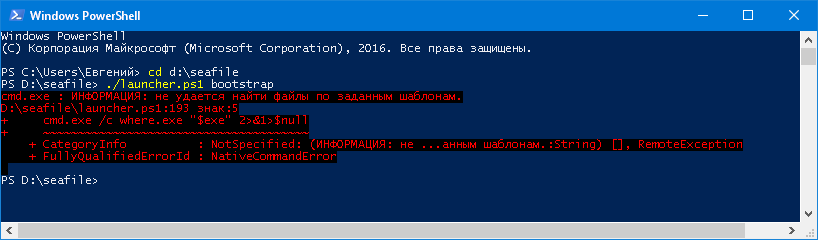
I have the same version of powershell installed as you do, which makes me a bit confused. Anyway, can you run the launcher.ps1 script without any arguments?
.\launcher.ps1
Or can you try to close the powershell window and open another window, then try to run the script again?
I do not know the language powershell, but I made a fork and made some changes that helped run the script. https://github.com/Nine-Tailed/seafile-docker
But then came the following error:
[2016-12-21 11:53:59] Error: The command docker run --rm -it -v /D/seafile-docker/scripts:/scripts -v /D/seafile-docker/bootstrap:/bootstrap:ro sea
fileorg/server:6.0.7 /scripts/bootstrap.py --parse-ports failed
I think the error in the paths transferred in the docker.
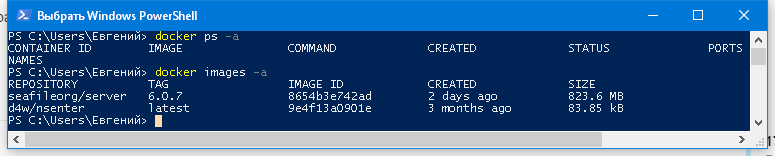
Is there any other output? Generally when a docker container was running, it would output some error messages. BTW can you show what these commands output?
Docker does not work for me because I use VirtualBox for other things. Please just support windows again. 90% of the population use windows, don’t make them spend weeks learning linux systems because support can’t be bother to help. I’m very frustrated because I have installed SeaFile Pro 6.0.4 over 20 times in the last 5 days trying to get it to work. No I’m not exaggerating on these numbers here. I’ve learned a lot over the past few days but if I can’t get it working by the end of the day, I’m going to drop Seafile.